Manage conflict waivers
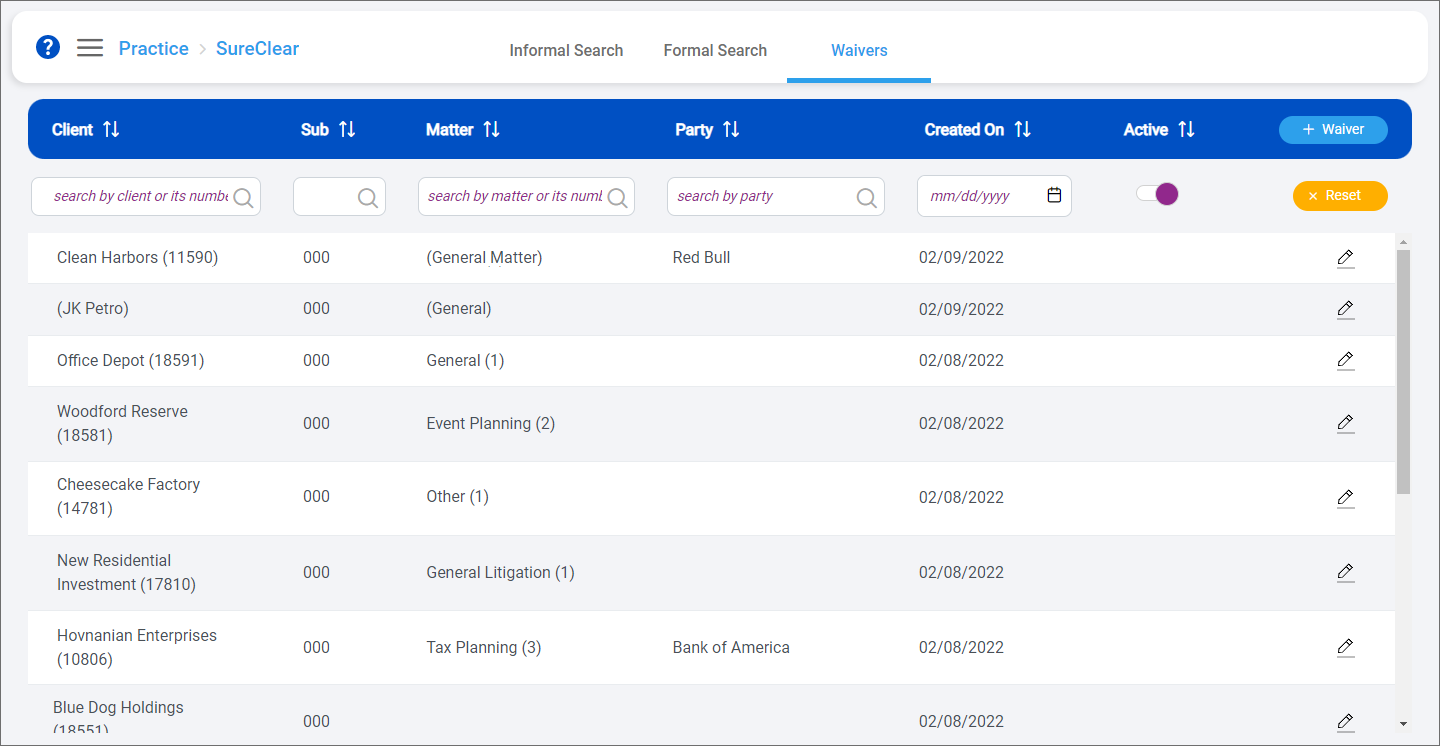
Conflict waivers are documents that can be used as proof that a client has provided your firm with consent related to a potential conflict of interest. After a client provides you with a waiver, you can add it to SureClear so it can be applied to appropriate conflict of interest search results as documentation that the potential conflict of interest was resolved.
When new formal conflict searches are run, SureClear checks for existing waivers. If any waivers that match the client, matter, and/or parties included in the search are found, the Available status is shown in the Waiver column on the Results screen to indicate that you need to review the available waivers. If you determine the waiver or waivers are relevant to the returned results, you can apply them to the appropriate search results.
Note: Not all conflicts of interest can be resolved with a waiver. While SureClear can suggest waivers that might apply to conflict search results, you ultimately need to make sure you closely review formal conflict search results and waivers to determine if the waiver does, in fact, apply to a search result.
Following are the waivers-related tasks you can perform:
