Edit a conflict waiver
Edit a conflict waiver to make any corrections to the summary or reason or to attach or remove files. You can also set an end date for waiver if it was revoked or added by mistake.
Note: Only active waivers can be edited or applied to results in Open conflict searches. If the waiver has an end date that has passed, a new waiver must be added to apply the waiver to potential conflicts going forward. See Add a conflict waiver.
-
On the Home screen, click Practice and then click SureClear. You can also click
 on any other screen and select SureClear under Practice.
 -
Optionally click Work on behalf of next to the Account menu and select the user to work on behalf of.
If you do not need to work on behalf of someone else, make sure another user's name is not displayed to the left of the Account menu.
-
Click the Waivers tab.
The Waivers screen appears.
-
Find the waiver to edit in the list.
Tip: You can filter or sort the list to find a waiver. See Work with item lists. To view active waivers only, slide the Active toggle to the right. To view all waivers, slide the Active toggle to the left.
-
Click
 next to the waiver.
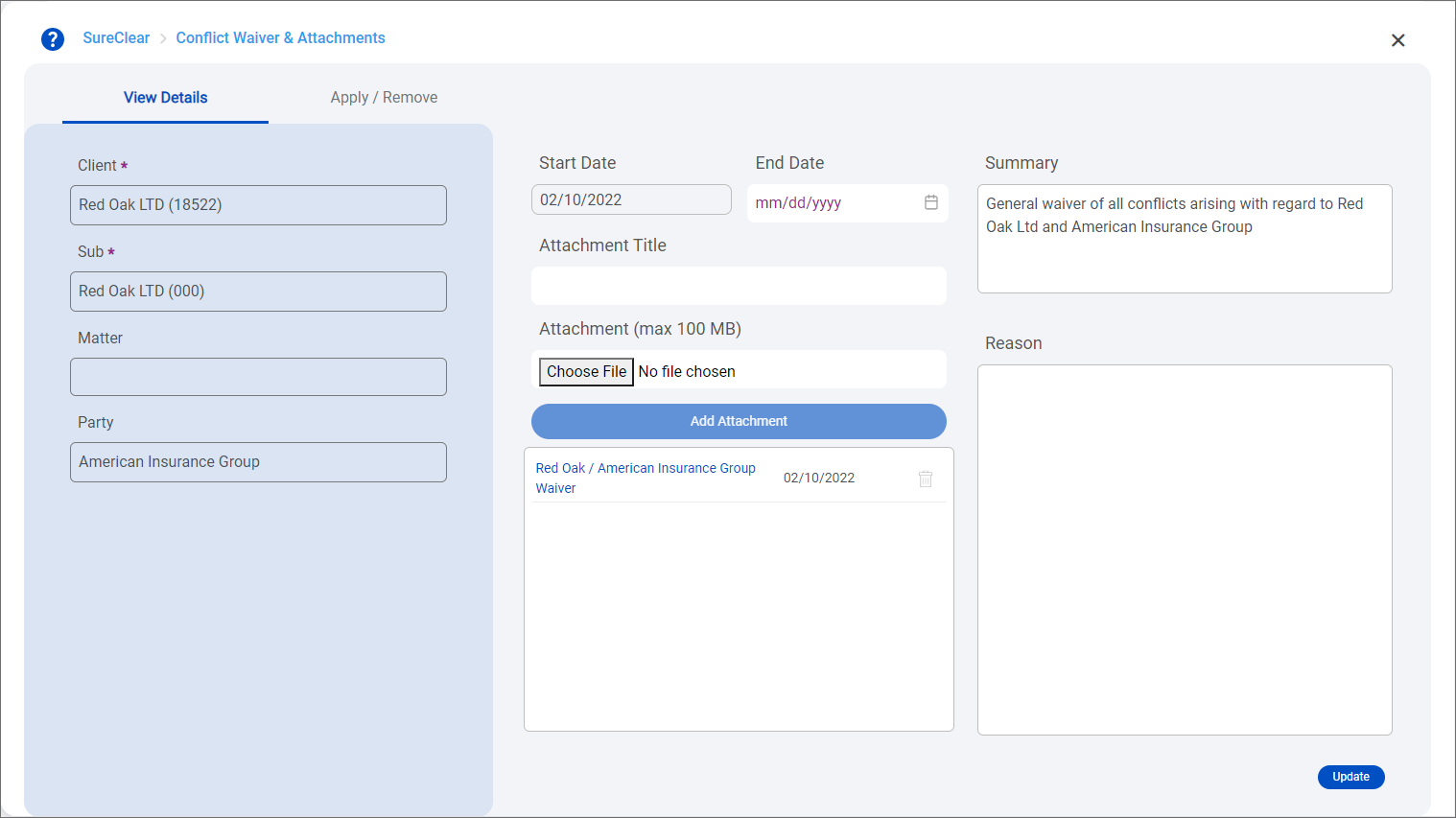
The Conflict Waiver & Attachments screen appears with the View Details tab displayed.
-
Make any necessary changes on the View Details tab. The Client, Sub client, Matter, Party, and Start Date cannot be changed. The Sub client field is only shown if your firm uses sub clients.
-
To make the waiver inactive, select today as the End Date. You can only set the End Date to today's date.
Note: An End Date cannot be set if the waiver has been applied to results in Open conflict searches. You must remove the waiver from all Open searches first. See Remove a waiver from conflict search results.
-
To delete an attachment, click
 next to it. Click Yes to confirm the deletion.
Note: You cannot edit the title of an existing attachment. To rename an attachment, delete it and then re-attach it with the correct Attachment Title.
-
-
Click Update to save the changes.
-
Close the Conflict Waiver & Attachments screen when you finish.
