Associate party types with areas of law
Your firm's active areas of law are used to control the search engine settings and available party types that can be assigned to parties during the formal conflict search process. A system administrator can associate all party types with the appropriate areas of law to make the party type available for selection when formal conflict searches are run. Party types can be associated with multiple areas of law. By default, all active party types are associated with the Firm Level area of law.
Note: Party types must be created before they can be associated with an area of law. See Manage party types. Areas of law are retrieved from the matter type master codes configured in LMS V and they cannot be changed in SurePoint Cloud.
-
On the Home screen, click Settings and then click SureClear. You can also click
 on any other screen and select SureClear under Settings.
 -
Optionally click Work on behalf of next to the Account menu and select the user to work on behalf of.
If you do not need to work on behalf of someone else, make sure another user's name is not displayed to the left of the Account menu.
-
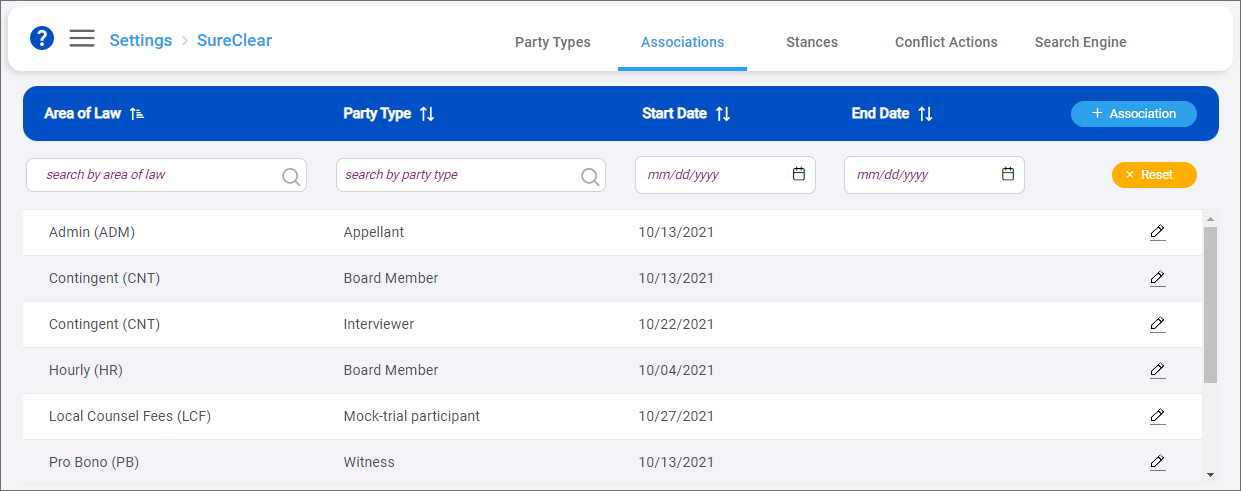
Click the Associations tab.
The Associations screen appears.
-
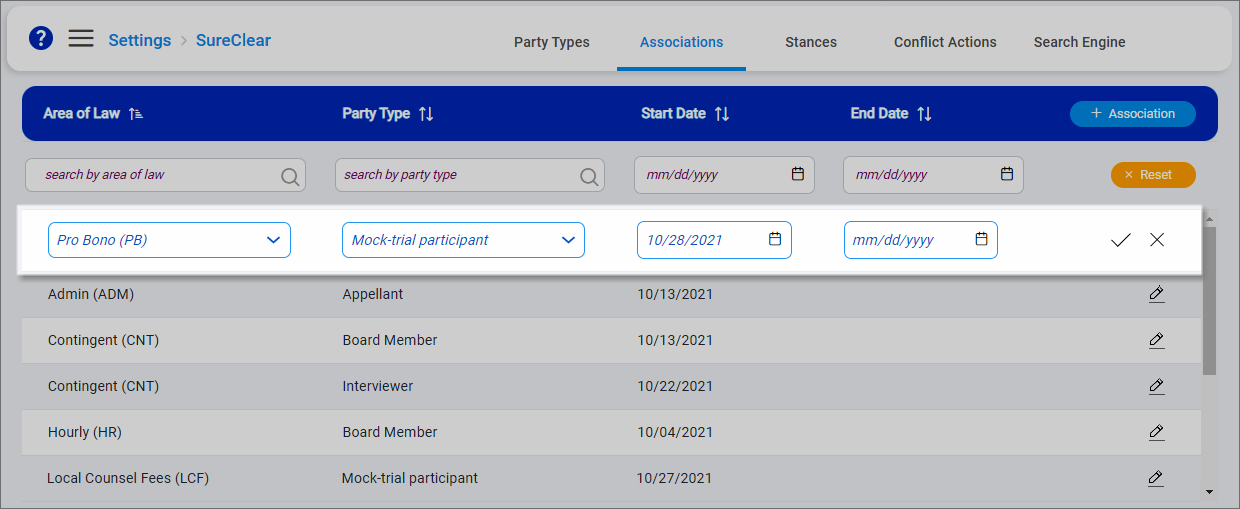
Click + Association to add an association.
An empty row is added to the top of the list.
-
Select an Area of Law to associate the party type with.
-
Select the Party Type.
-
Select a Start Date for the association. Today's date is selected by default.
Optionally select an End Date if the association is only needed for a specific time period.
-
Click
 to save the association.
 -
To remove an association, click
 next to it, enter an End Date, and then click . If you set today at the end date, the association is deactivated immediately. If you set a future end date, the association is active through 11:59 PM on the selected date.
