Use the Main menu
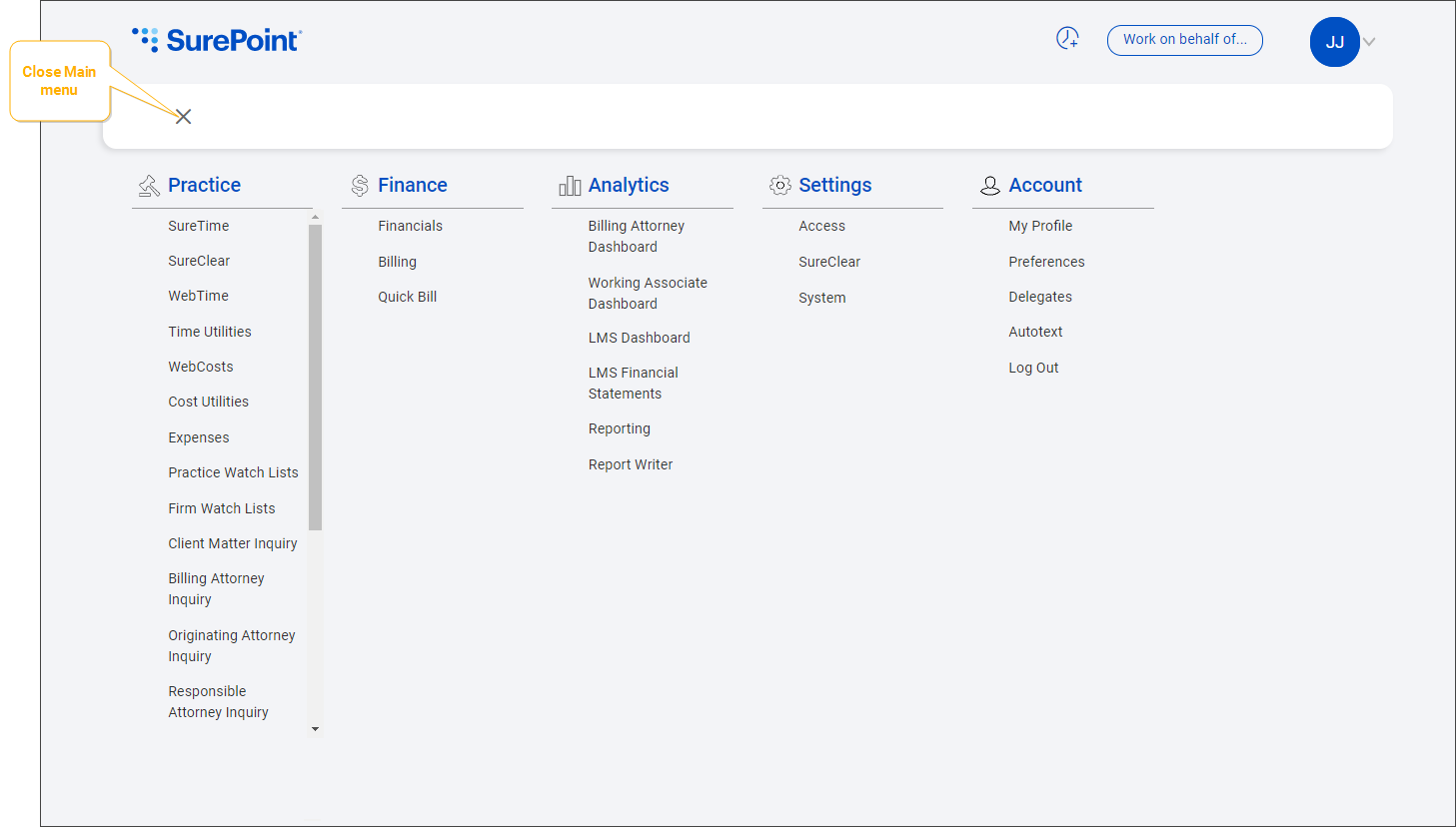
The Main menu is the quickest option for navigating between different screens in SurePoint Cloud.
Click  under the logo in the upper-left corner of any screen to open the Main menu, which includes shortcuts to the same modules and options you can find on the Home screen.

The available shortcuts depend on your user security and assigned roles.
-
Click a link to go directly to a module.
Note: Some links open in a new LMS+ or LMS V tab. See Suites and modules/options.
-
Click
 to close the menu.
Note: The main menu is not visible when viewing a SurePoint View dashboard. When you finish viewing a dashboard, click the SurePoint logo in the upper-left corner of the screen to return to the Home screen.
